

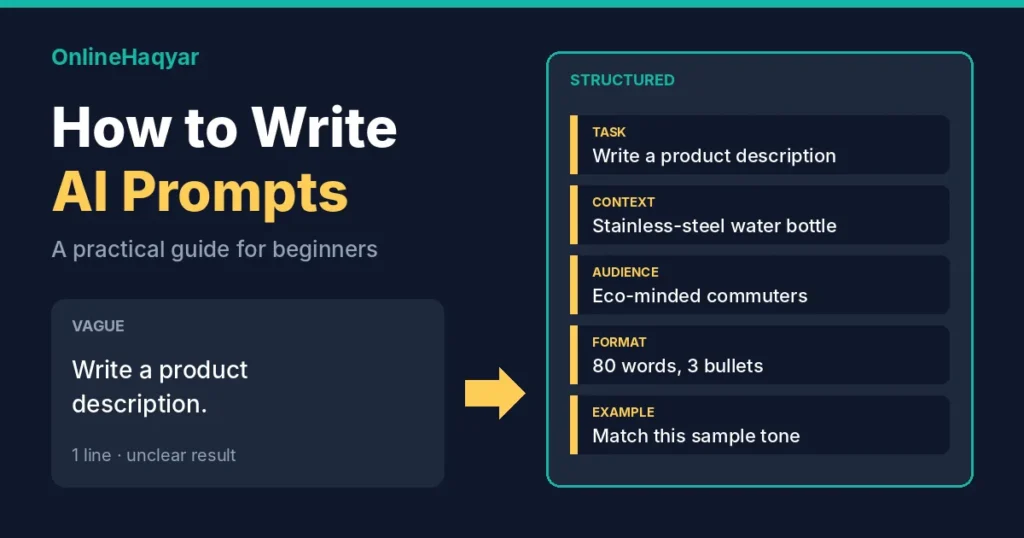
Quick answer: A good AI prompt states the task, gives the context the tool cannot guess, says who the answer is for, and names the format and limits you want. Add an example if the style matters, then refine the first answer instead of accepting it. Wording does not make AI accurate, so check anything important.
If you have ever thought “that is not what I meant” about an AI answer, the prompt is the first thing to look at. This guide gives you a short checklist, three before-and-after examples and a template you can reuse. For the basics of how these tools work, start with our explainer, What Is Generative AI?
This is a research-based guide. It draws on the official prompting documentation listed at the end, not on our own testing of specific tools. The example prompts are illustrations we wrote, and we have not published any outputs from them.
What a prompt is, and why wording matters
A prompt is the instruction, question or material you give an AI tool. These tools respond to what you actually write, not to what you had in mind. Anthropic’s documentation suggests a simple test: if a colleague with no background in the task would be confused by your prompt, the AI probably will be too (Anthropic).
Google’s Gemini documentation also notes that prompt writing is iterative, so the first version is a starting point (Google).
A five-part checklist
You do not need all five parts every time. Use as many as the task needs.
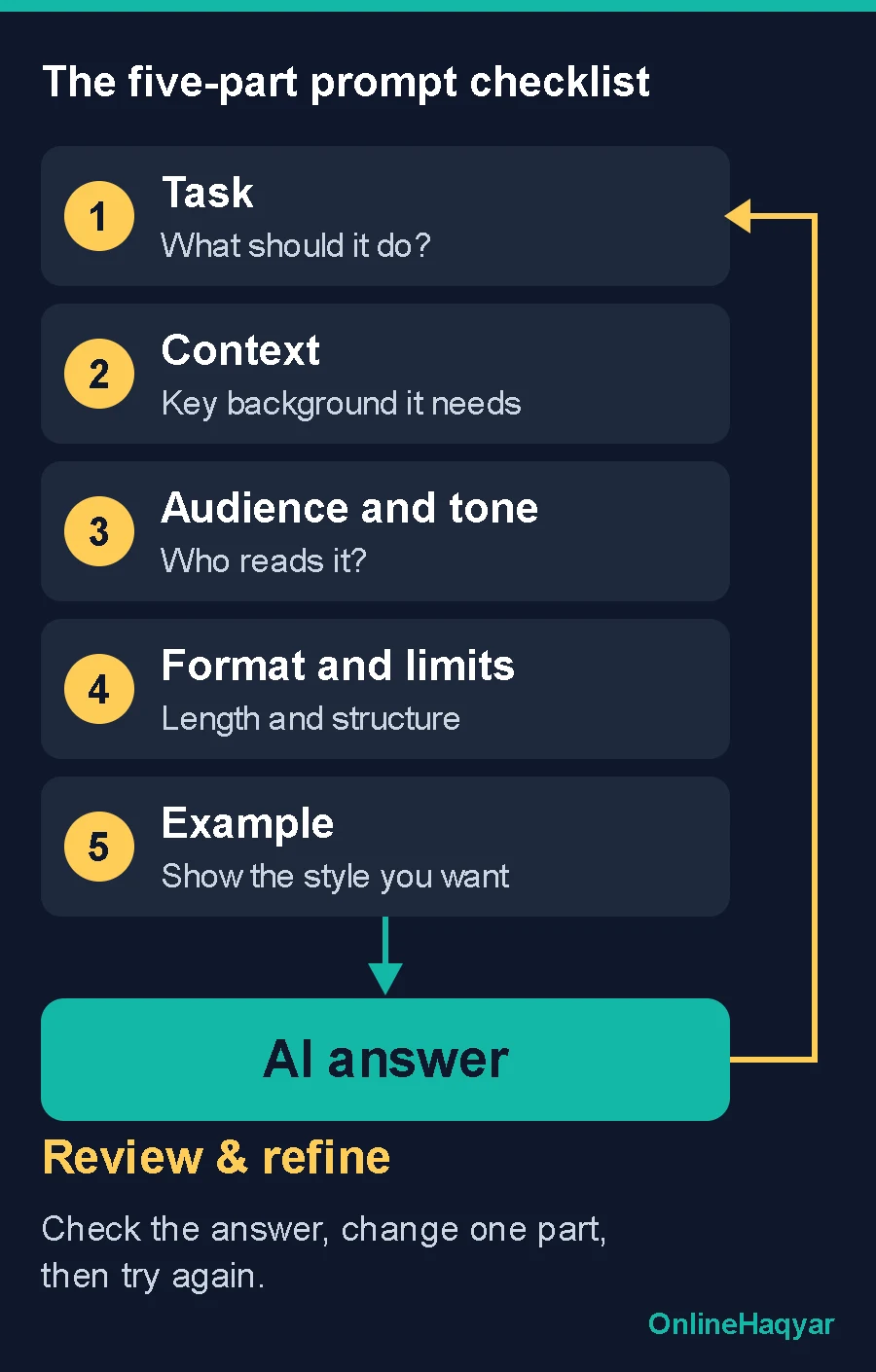
| Part | Weak | Stronger |
|---|---|---|
| Task What exactly should it do? | “Help with my email” | “Write a reminder email about an unpaid invoice” |
| Context What does it need to know? | (nothing) | “The invoice is 14 days overdue; the client has paid on time before” |
| Audience and tone Who will read it, and how should it sound? | (nothing) | “Polite but firm, for a long-standing client” |
| Format and limits What shape should the answer take? | (nothing) | “Under 120 words, with a subject line” |
| Example What does good look like? | (nothing) | A short sample of your own writing style |
Each part is supported by official guidance:
- Task and context. Google’s documentation says to give the model the information it needs rather than assuming it has it. Its router troubleshooting example shows a generic answer becoming specific once the relevant text was supplied (Google).
- Format and limits. Google lists constraints and response format, such as a table, a list or a length, as things you can specify.
- Examples. Anthropic recommends relevant, varied examples and suggests three to five for best results. Google recommends including examples as well. Both are vendor guidance rather than independent testing, and too many near-identical examples can narrow the output too much.
- Reason for a rule. Anthropic also notes that explaining why you want something helps. “This will be read aloud, so avoid symbols” works better than a bare ban.
Three before-and-after examples
These are illustrative prompts, not tested results.
1. Writing
- Before: “Write a product description.”
- After: “Write a product description for a stainless-steel water bottle, for office workers who commute by train. Plain, friendly tone, 70 to 90 words, one sentence on cleaning.”
2. Learning
- Before: “Explain SEO.”
- After: “Explain how search engines decide which page to show first, to someone who runs a small bakery website. Use one everyday comparison and no jargon. End with three things to check on their own site.”
3. Spreadsheets
- Before: “Fix my formula.”
- After: “This formula in Google Sheets returns #N/A: [paste formula]. Column A holds names and column B holds scores. Explain the cause in two sentences, then show a corrected version.”
What changed each time is not cleverness. The after prompts remove guesswork about the audience, the length and the output.
Refine instead of starting over
Treat the first answer as a draft. Follow-up requests work well: “shorter,” “less formal,” “explain step 2 again,” “give me two alternatives.”
If a prompt keeps failing, Google suggests rephrasing it or switching to an analogous task. It also suggests splitting a complex job into smaller prompts, where one step’s output feeds the next (Google).
You can also ask the tool to check its own work against criteria you supply. Anthropic lists this as a technique, and it is a review aid, not a guarantee.
Different models need different prompts
There is no universal best prompt. OpenAI’s documentation says that reasoning models do well with high-level goals, while its standard GPT models do better with precise, explicit instructions. It also says that different model versions can respond differently to the same prompt, and it describes prompting as a mix of art and science (OpenAI).
Google’s guidance for its Gemini 3 models says they respond best to direct, well-structured prompts. In practice: if a prompt that worked well last month behaves differently after a model update, adjust it. Check the tool’s own documentation, because these details change often.
Common mistakes
- Too vague. “Write something interesting” leaves everything open.
- Missing context. The tool cannot see your situation, your files or your audience unless you say so.
- Several jobs in one prompt. Split them up.
- No format. If you want a table, a short list or 100 words, say so.
- Trusting fluent answers. A confident tone does not make a statement true.
- Sharing private data. Leave out anything confidential, and read the tool’s privacy settings first.
Verify before you use it
A better prompt improves clarity. It does not make the output factually correct. Check names, figures and sources against the original, and take extra care with health, legal and financial topics. We cover this in more detail in the limits and risks section of our generative AI guide.
A reusable template
Copy this, delete the lines you do not need, and fill in the rest:
Task: [what you want done]
Context: [facts the tool needs]
Audience and tone: [who it is for, how it should sound]
Format and limits: [length, structure, what to include or leave out]
Example (optional): [a short sample of the style you want]
Conclusion
Better prompts are mostly clearer prompts. State the task, supply the context, name the audience and format, and refine the draft you get back. Start with something low-stakes this week, such as an email or a summary of your own notes, and rewrite the prompt twice to see what changes. For more practical guides, browse the AI section.
Written by Sultan Shah SSF. See our editorial policy for how we handle sourcing and accuracy.
Sources
- Google AI for Developers, Prompt design strategies, page last updated 17 September 2026.
- OpenAI, Prompt engineering.
- Anthropic, Prompting best practices.