

Last updated: November 2026. Menu names vary by model and software version. If a path below doesn’t match, look in your TV’s own privacy settings. This is not legal advice. No affiliate links.
Many smart TVs can recognise what’s on the screen, whether it comes from a streaming app, a cable box or a games console, and send that information to the manufacturer or its partners. The feature is called automatic content recognition, or ACR. In most cases you can turn off ACR in a few minutes from the TV’s settings.
If you’re setting up a new TV after Black Friday or for the holidays, do this on day one. This guide explains what ACR is, what changed in Texas in 2026, and where to find the setting on the most common brands.
What is ACR on a smart TV?
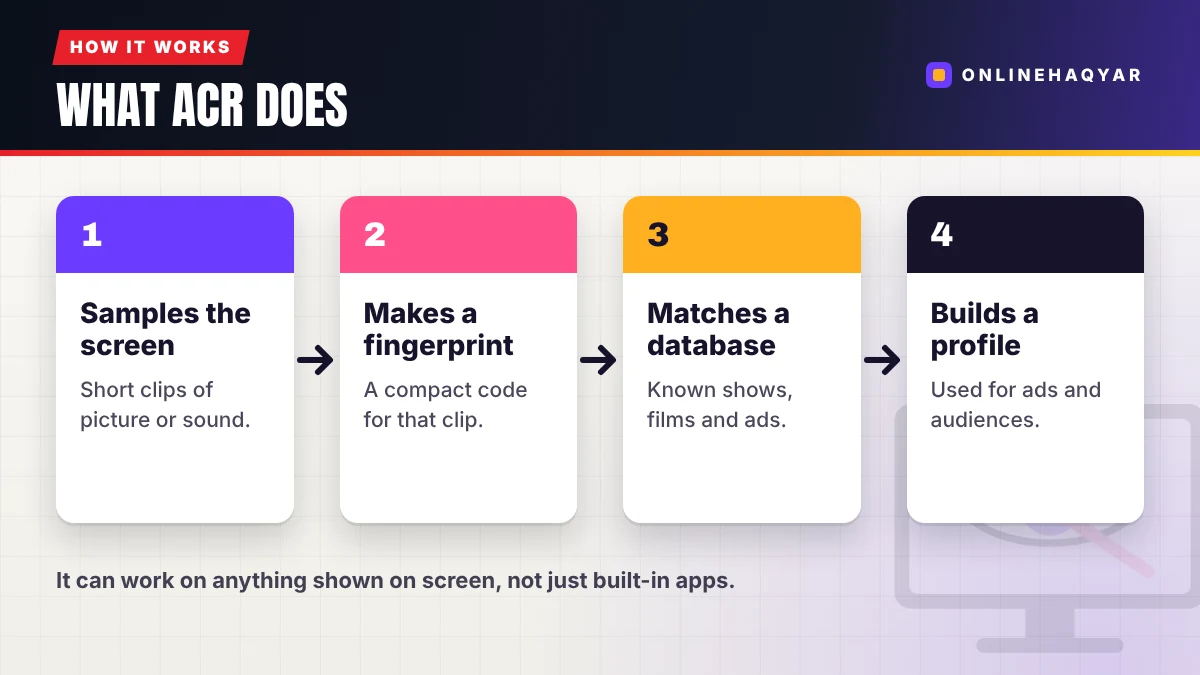
Source (Malwarebytes, March 2026): ACR takes short samples of the sound or picture on screen, turns them into a “fingerprint”, and matches it against a database of known shows, films and adverts. (Malwarebytes)
Source (Proton VPN, November 2026): Proton describes ACR as “a technology that identifies the content playing on a device by matching it against a database of known media,” and says it can work “at the screen or speaker level, without any user input.” Proton says advertisers use this data to build audience segments. (Proton VPN blog)
Author’s opinion: You may not mind recommendations based on what you watch. The issue is that most people never knowingly agreed to it when they clicked through the setup screens, and the data can cover whatever is playing through the TV’s inputs.
What happened in Texas
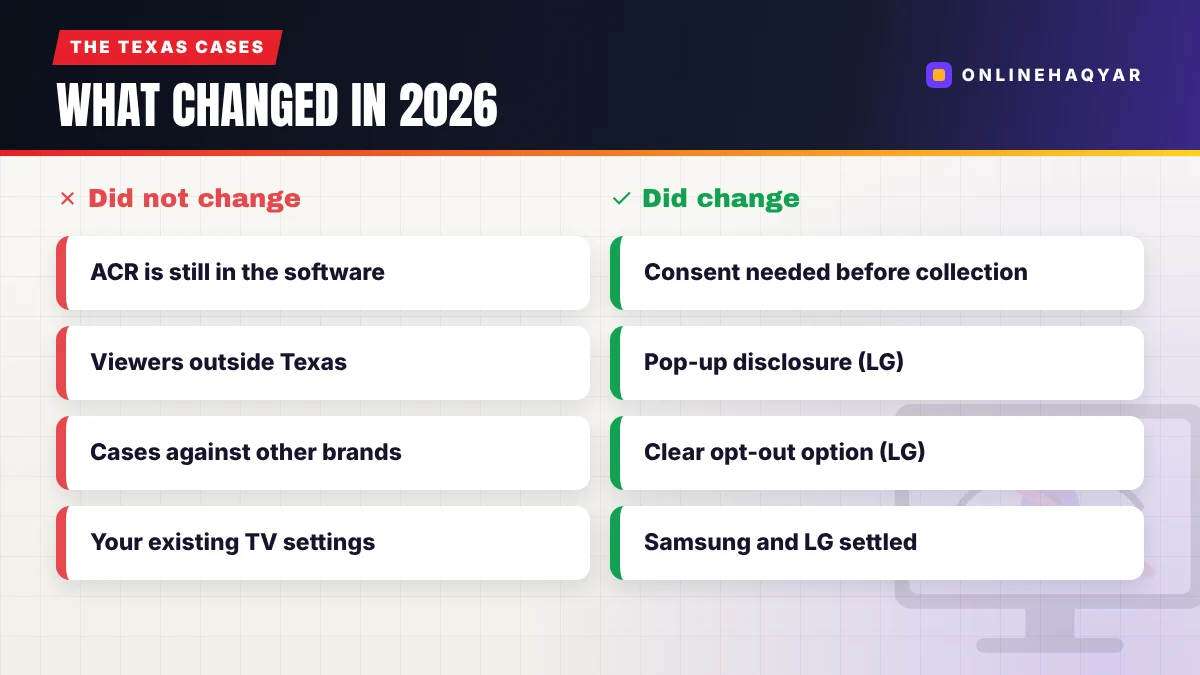
Source (FOX 7 Austin, May 2026): The Texas Attorney General filed a lawsuit in December 2025 against five TV manufacturers over ACR data collection. (FOX 7 Austin, LG settlement)
Source (FOX 7 Austin, February 2026): Samsung updated its TV data-consent settings after the lawsuit. Samsung said its TVs “do not spy on consumers.” The report notes that the change “doesn’t ban or disable the software, merely adds disclosures and consent screens.” (FOX 7 Austin, Samsung)
Source (Privacy Guides, March 2026): Samsung agreed with Texas to stop collecting ACR data from Texans without express, informed consent. (Privacy Guides)
Source (FOX 7 Austin, May 12, 2026): LG settled too. According to the report, LG agreed to stop using ACR to collect viewing information without informed consent, to add a pop-up disclosure on its smart TVs, to give consumers a clear option to opt out, and to post the disclosure on its website. The report said lawsuits against other manufacturers remained active.
Author’s analysis: These agreements apply to Texas viewers and add consent steps. They don’t remove ACR from TVs elsewhere, so the settings below still matter wherever you live.
How to turn off ACR, brand by brand
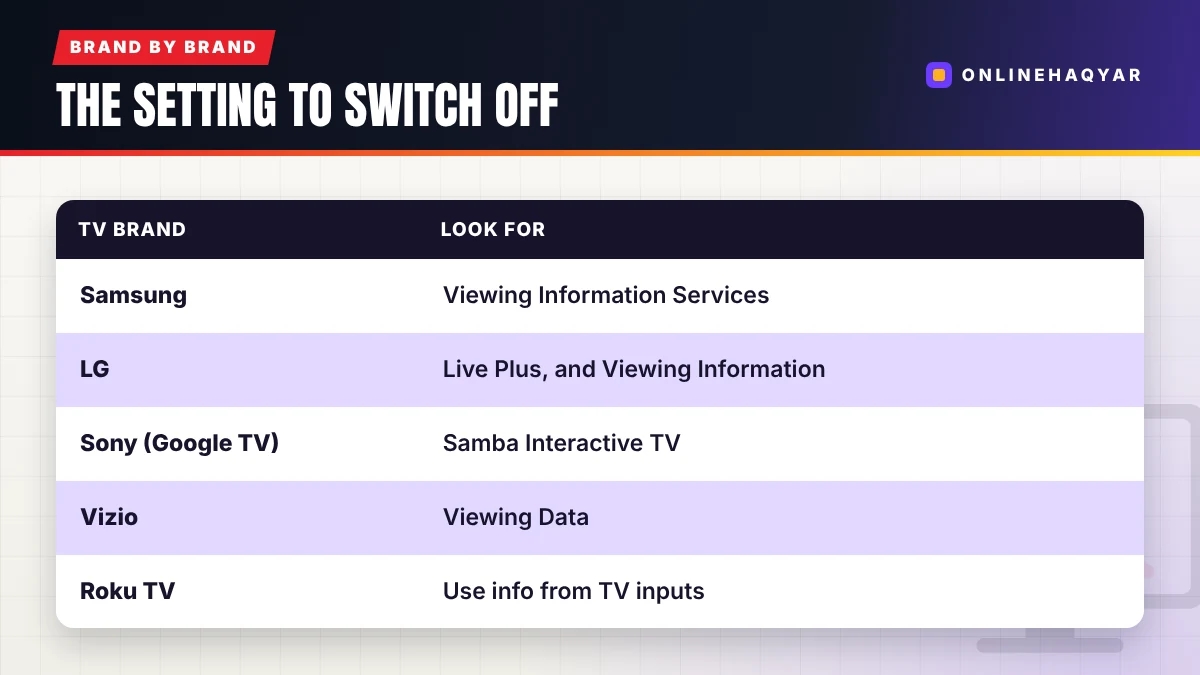
If you want to turn off ACR, start with the brand that made the TV, not the streaming app. The paths below are as published by Malwarebytes (March 2026) and Proton VPN (November 2026). We have not tested them on every model, and menus change with software updates.
Samsung
- Press Home, go to Settings → Support → Terms & Privacy → Privacy Choices (or Settings → All Settings → General & Privacy → Terms & Privacy).
- Turn off Viewing Information Services.
- Optional: turn off Interest-Based Advertising and Voice Recognition Services.
LG
- Settings → All Settings → General → System → Additional Settings, and turn Live Plus off.
- In Additional Settings → Advertisement, turn on Limit AD Tracking.
- Settings → Support → Privacy & Terms → User Agreements: turn off Viewing Information, and optionally Voice Information and Interest-Based & Cross-Device Advertising.
Sony (Google TV)
- Settings → All Settings → Privacy (or look under Initial Setup) and disable Samba Interactive TV.
- Optional: turn off Ads Personalization and usage-and-diagnostics reporting.
Vizio
- SmartCast TVs: Menu → All Settings → Privacy and Legal, and turn Viewing Data off.
- Older models: Menu → System → Reset & Admin, and turn Viewing Data off.
Roku TVs (including TCL and Hisense models running Roku OS)
- Settings → Privacy → Smart TV Experience, and uncheck Use info from TV inputs.
- Settings → Privacy → Advertising, and turn off personalised ads.
Amazon Fire TV
- Settings → Preferences → Privacy Settings, and turn off Automatic Content Recognition where it’s shown. Proton also suggests reviewing Device Usage Data, Collect App Usage Data and Interest-based Ads.
Hisense (non-Roku models)
- Settings → System → Privacy, and look for a setting such as Smart TV Experience, Viewing Information Services or Enhanced Viewing, then turn it off. (Proton only.)
Does turning it off actually work?
Author’s analysis: We couldn’t independently confirm how completely each brand’s opt-out stops data sharing, and the sources we read rely on the manufacturers’ own settings. Switching it off is still worth doing: it’s free, takes minutes and is the control the manufacturers themselves offer.
If you want more control, some people connect a separate streaming device and keep the TV itself offline. That moves the privacy question to the streaming device, so check its settings too. Our new tech security setup checklist covers the basics for any new gadget.
Why you should turn off ACR on a new TV first
Author’s analysis: Consent screens appear during setup, when you’re keen to start watching and most likely to tap “Agree” on everything. It’s easier to decline viewing-data options then, or to turn off ACR straight after setup, than to remember months later. Settings can also reset after a factory reset or a major update, so put a reminder in your calendar.
Author’s tip: Guest Wi-Fi networks are a simple way to keep smart-home devices, including TVs, separate from the laptop and phone you bank on. For more on Wi-Fi risks away from home, see our guide on whether public Wi-Fi is safe.
A 5-minute privacy routine for a new TV
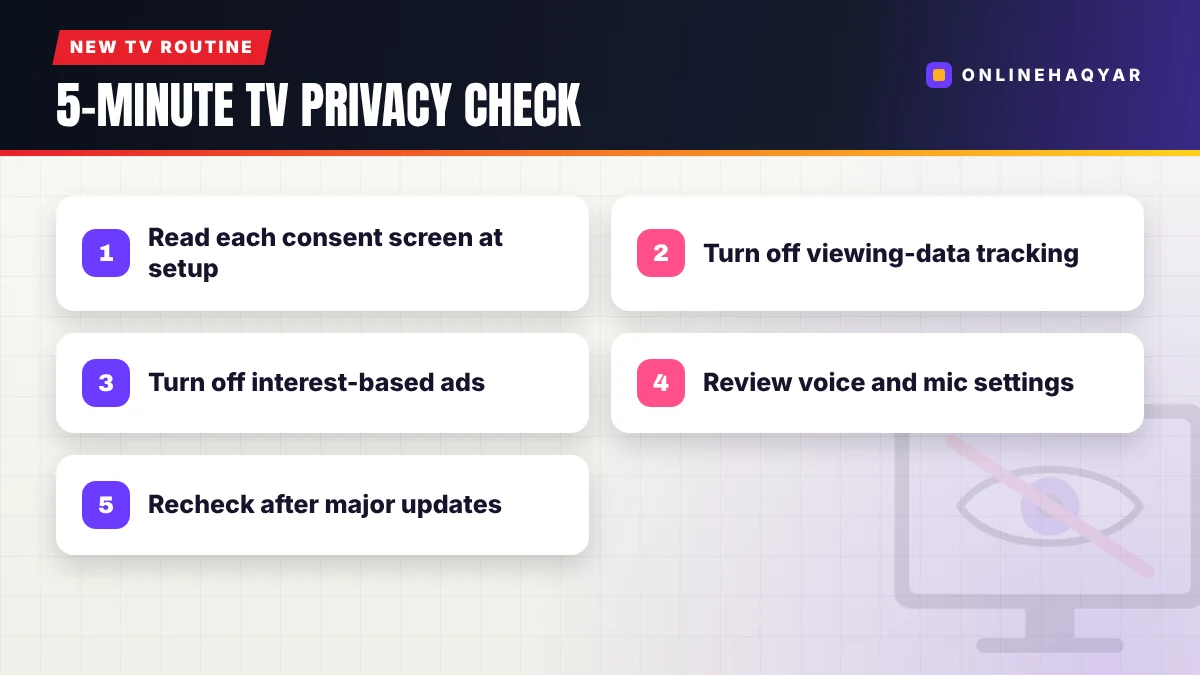
- During setup, read each consent screen and decline viewing-data or “viewing information” options you don’t want.
- After setup, open the privacy menu, turn off ACR or viewing data, and confirm it stays off.
- Turn off personalised or interest-based ads.
- Review voice and microphone settings.
- After major software updates, recheck these settings.
Frequently asked questions
What does ACR stand for, and what does it do?
Automatic content recognition: technology that identifies what’s on screen by matching sound or picture samples against a database of known content.
Does ACR track what I watch through HDMI?
According to Proton VPN, ACR works at the screen or speaker level, so it can identify content from connected devices such as cable boxes and consoles, not only built-in apps.
Will turning off ACR break my TV?
The sources we read don’t report any loss of basic TV functions. You may see fewer personalised recommendations.
Is ACR illegal?
Not as such. In Texas, Samsung and LG agreed to get viewers’ consent before collecting ACR data. Rules differ by state and country.
The bottom line
Your TV doesn’t need to know what you’re watching to work well. Find the viewing-data setting for your brand, turn off ACR, and recheck after updates. If you’re gifting a TV this season, a sticky note that says “Turn off viewing information in Settings” is a thoughtful extra.